Rider Connect to Database
1. Choose the data base :
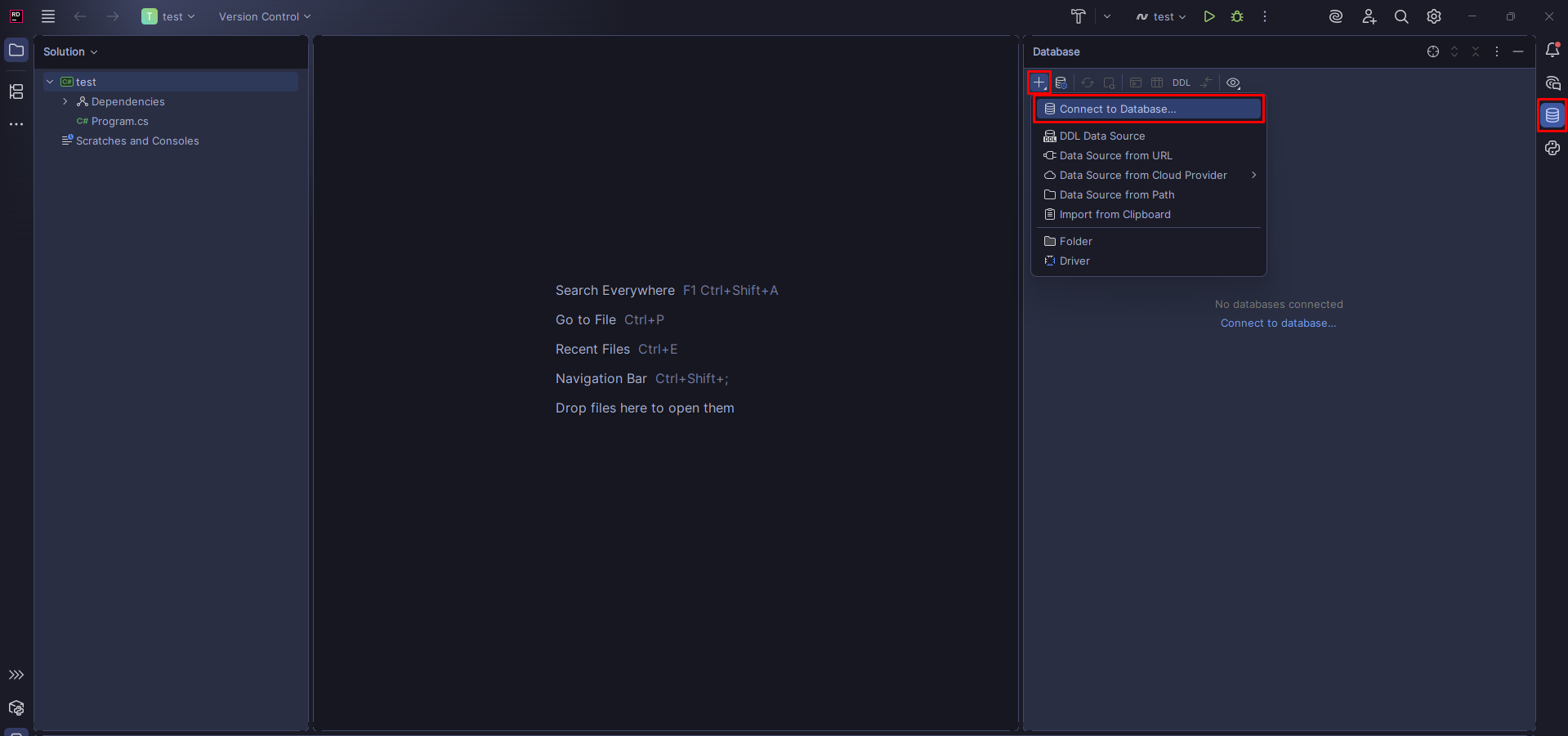
- On the right side choose the database logo
- Click the + icon
- Choose the option (Connection to Database...)
2. Add data manually:
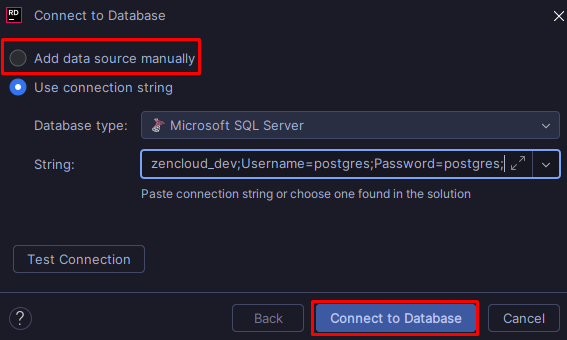
- Click the first chekpoint (Add data source manually)
- Click (Connect to Database)
3. Select the Database Manager:
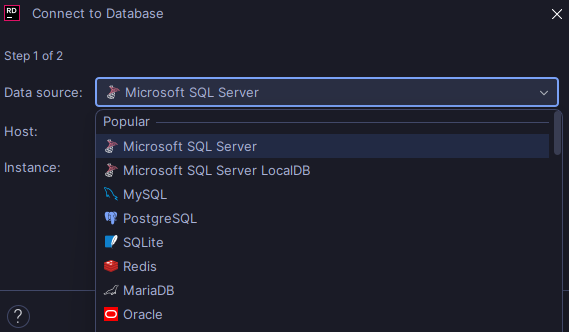
- Select the database manager
4. Copy your host:
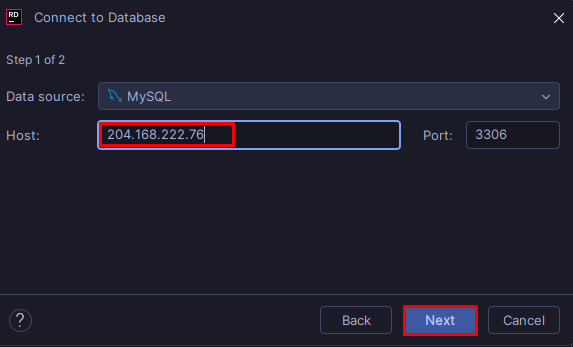
- On this case this must be the host (204.168.222.76)
5. Authenticate :
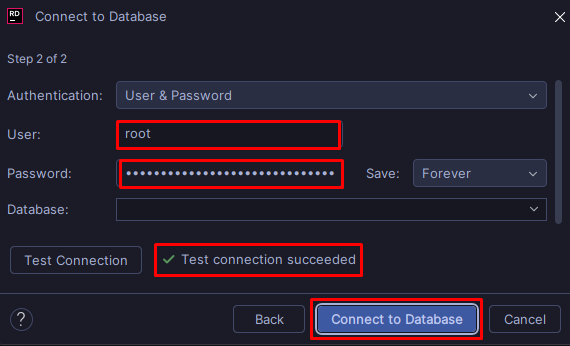
- Fill the first two rectangles with this values
- User: root
- Password: olcZf7gPUHA0f070IvdCrGtlsO1RHd
- Click test connection, If it is ok
- Click (Connect to Database)